 Dozy
Schedules
Lock apps during work hours, at bedtime or on weekends. Schedules can run past midnight and pick their own days.
Choose before you open
Dozy puts the apps that pull you in to sleep. When you reach for one, it asks how long you want, then closes it for you when the time is up.
Free for iPhone on iOS 17 or later. Your activity never leaves your phone.
How a time box works
Blocking everything forever doesn't last. Dozy lets you in on purpose, for as long as you choose.
Instead of the feed, you see a calm screen that tells you which rule is on and how much of today's limit is left.
Dozy sends a notification. Tap it to open the time box screen.
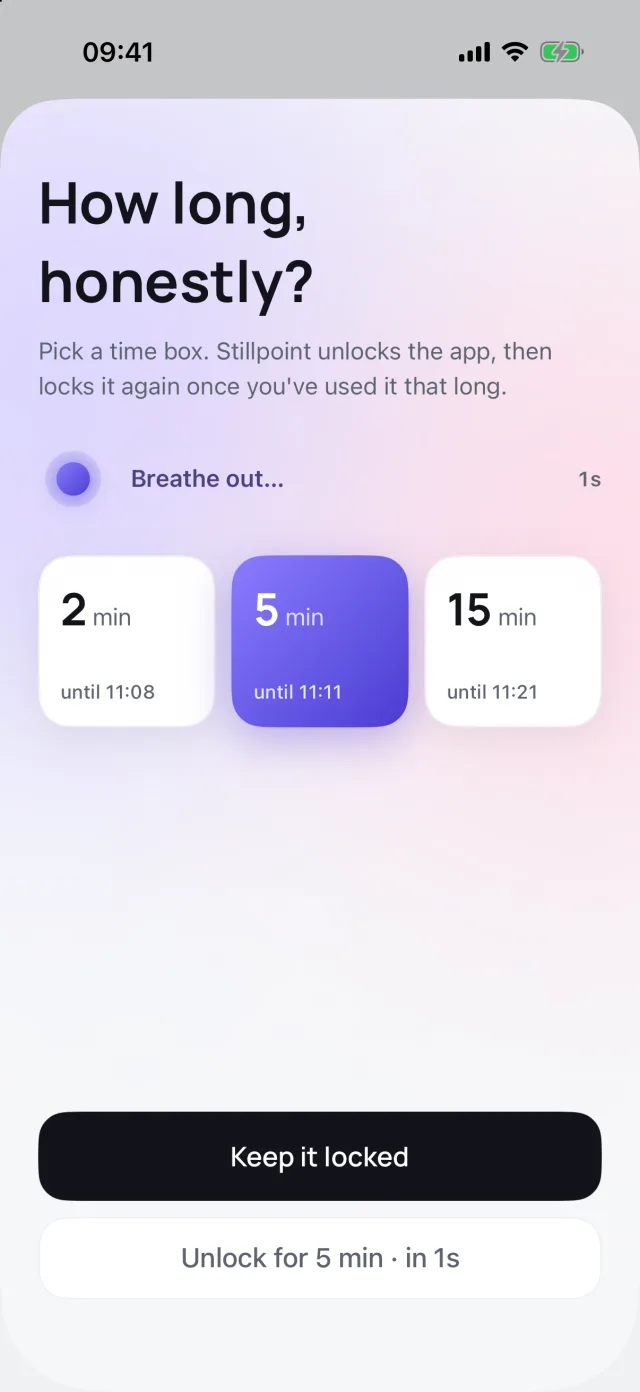
A five-second guided breath, then choose 2, 5 or 15 minutes. Options that would go past your daily limit stay off. Or tap Keep it locked and move on.
When your minutes are used, the app closes and the lock comes back. No reminder to ignore.
Inside the app
Everything you set up stays on your iPhone. Here's what you'll see.
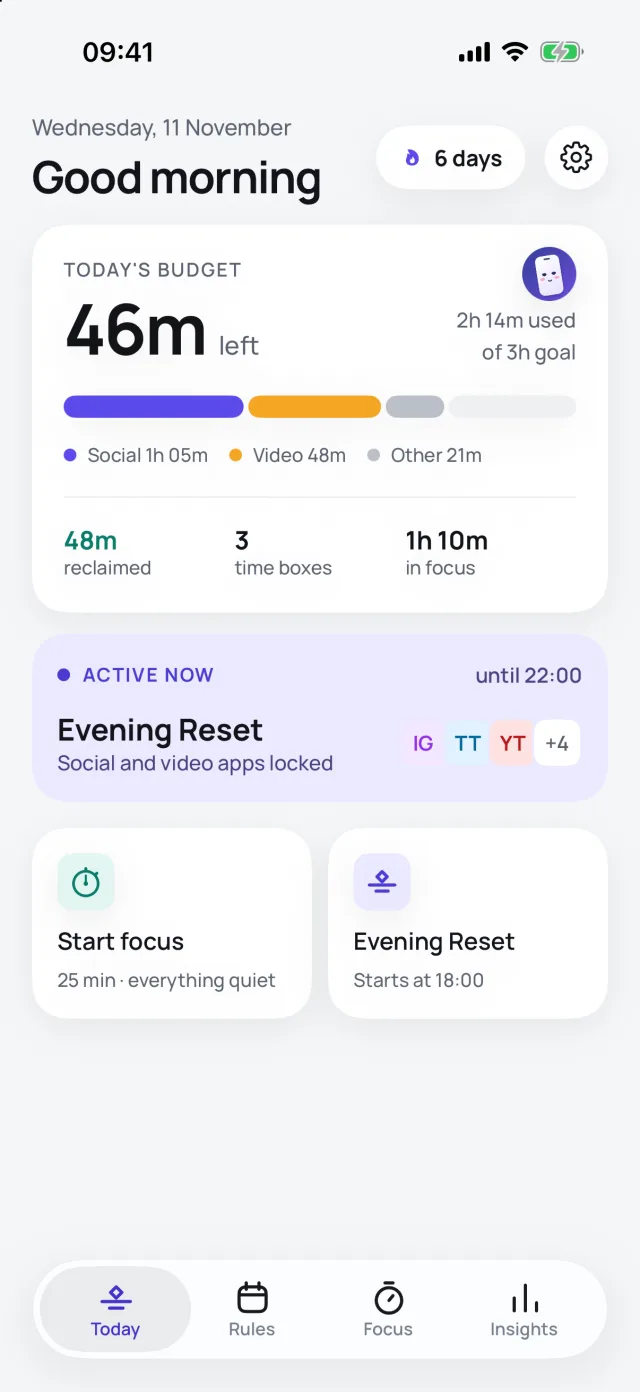
Your budget for the day, what's locked right now and time you've taken back.
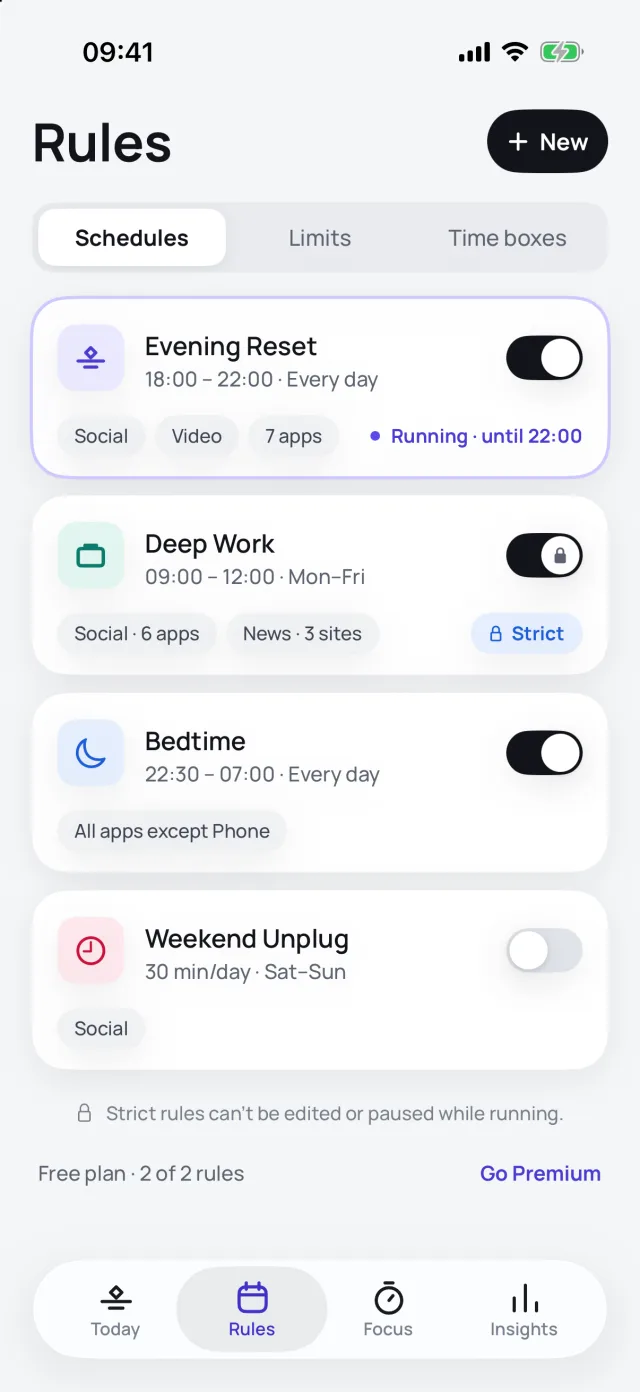
Schedules, daily limits and time boxes, each with its own apps and days.
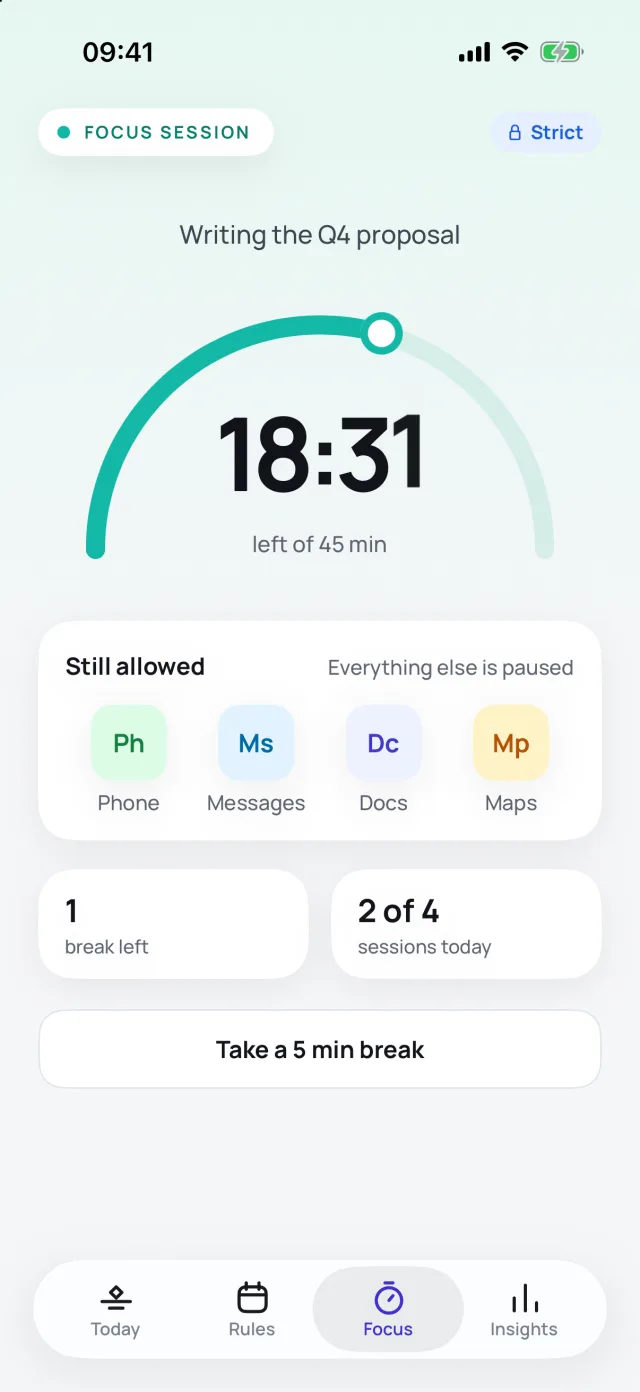
Only the apps you choose stay open, with an optional short break.
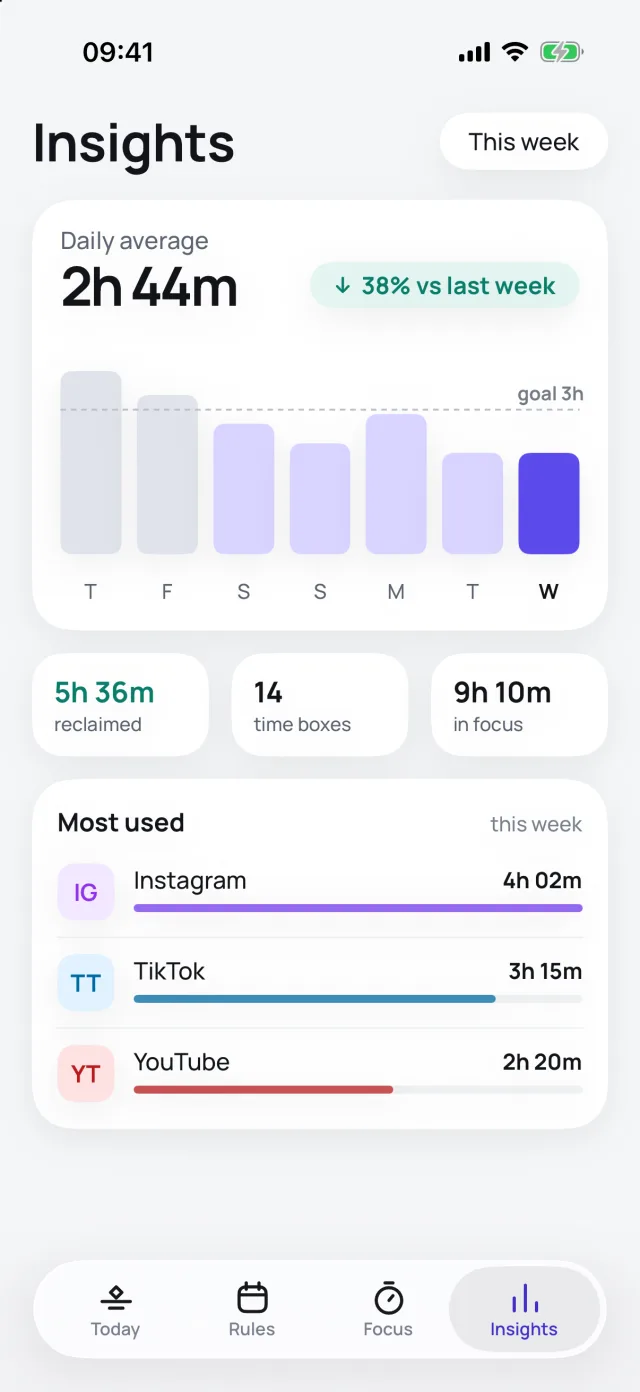
Today's top apps for free. Premium adds the week, your average and trends.
What's inside
Set them once. Dozy follows your week so you don't have to remember.
Lock apps during work hours, at bedtime or on weekends. Schedules can run past midnight and pick their own days.
Give an app 30 minutes a day. Dozy counts your use and locks it when the minutes run out.
Decide how long before you open. The app closes itself when the time is up.
Lock a rule so future-you can't pause it while it runs. For the hours that really matter.
Start a session from 15 minutes up. Only the apps you choose stay open, with an optional short break.
See your top apps today for free. Premium adds a 7-day chart, your daily average and the days you stayed under your goal.
Private by design
Pricing
Prices are shown in the app in your local currency. Cancel a subscription any time in your Apple ID settings.
Dozy is free to download for iPhone. Set up your first rule in under a minute.
Download on the App Store